 Haris Odobasic
CRM database design is how you structure the objects, fields and relationships in your CRM so it can answer revenue questions without manual clean-up. Good design keeps one fact in one place, mirrors how your customers actually buy, and stops duplicates and junk fields where they enter.
You have a board meeting in two days and a request to analyse the impact of marketing campaigns on renewals. How readily can you provide that insight? If your answer isn't "instantly", you may have a clogged data flow, and the cause is usually the structure underneath, not the dashboard on top.
Why CRM database design is a revenue problem
Terms like "360-degree customer view", "data-driven decision-making", "AI integration" and "revenue analytics" are the goal for anyone running sales, marketing or customer success operations. Dozens of tools promise them. They all hit the same roadblock, which is a poorly structured data system.
The most sophisticated tool is useless if the structure underneath is unsound. This is different from data quality, which refers to the data entered into your system. Data structure covers the design decisions that dictate what your database can answer at all.
When leadership asks where opportunities drop off, which content influences new business, or what advocacy programmes do for expansion, the answers should be readily available. Without a solid foundation, every one of those questions becomes a project of joining exports by hand.
The pattern in our 2026 client work is consistent. Reporting problems are usually downstream symptoms of unclear record identity, weak data ownership and fields added faster than they were standardised. The pipeline, ARR, attribution and win-rate views then disagree with each other, and nobody trusts any of them.
What CRM database design means
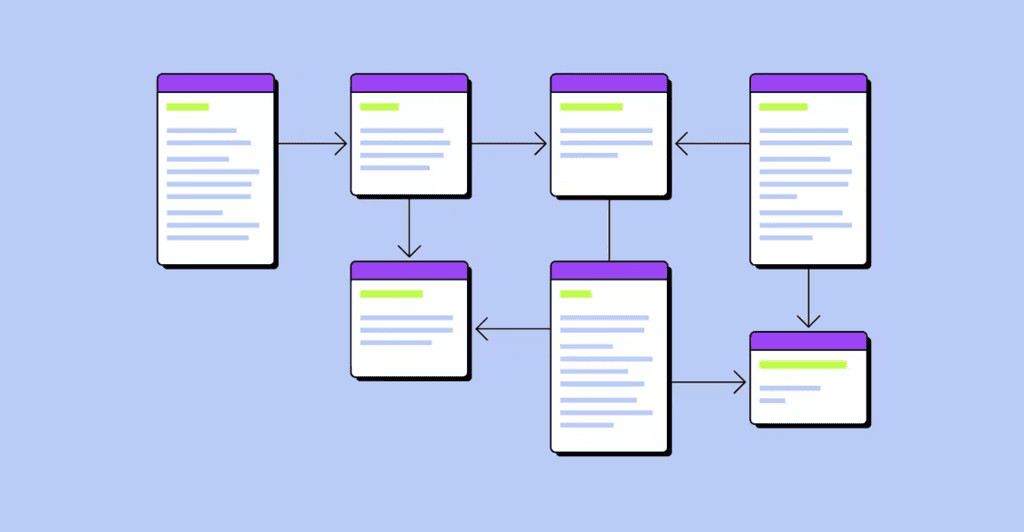
CRM database design is the discipline of creating, implementing and maintaining the structure that holds your customer information. Its goal is a logical model of the CRM that shows which records exist, how they relate to each other and how they are retrieved.
The good news is that Salesforce and HubSpot have already done much of the heavy lifting. Both are relational databases, made of tables of records linked through keys. You rarely invent a schema from scratch. Your job is to pick the right objects, respect the relationships the platform gives you and resist custom-field sprawl.
The core objects and how they relate
| Object | What it represents | Key relationships | Common mistake |
|---|---|---|---|
| Account (company) | The legal entity or buying unit you sell to | Parent and child accounts, contacts, opportunities | Brand name and legal name stored as two accounts |
| Contact | A person at an account | Belongs to an account; holds roles on opportunities | Contacts with no account |
| Lead | An early-stage prospect still being qualified | Converts into an account, contact and opportunity in Salesforce; a separate object associated with contacts and companies in HubSpot | Leads kept open forever instead of converted or closed |
| Opportunity (deal) | A potential sale with an amount, stage and close date | Account, contacts with roles, line items | Revenue type squeezed into one picklist on the deal |
| Line item and product | What is sold, at what price and term | Opportunity and the product catalogue | Line items imported without a link to the product library |
| Quote, contract, subscription | The commercial terms that were signed | Opportunity, account, billing system | Renewal logic rebuilt in the CRM instead of read from billing |
| Activity | Emails, calls, meetings and tasks | Contact, account, opportunity | Several tools logging the same email |
| Ticket (case) | A service request | Contact and account | Tickets not linked to the account that pays |
The sketch below shows how the relationships look in a typical B2B setup.
Parent account
  └── Account (company or site) ── Contacts (with roles)
        └── Opportunity ── Line items ── Products
              └── Quote → Contract or subscription → Renewal opportunity

Lead ── qualified ──→ Account + Contact + Opportunity
Six design principles
- One fact, one place. Avoid storing the same information twice. It wastes space, slows the system and guarantees inconsistencies, because if a fact lives in two tables, they will eventually disagree. Model a relationship instead of copying the data.
- Mirror how your customers buy. If contracts are signed with a group but revenue comes from its sites, model the buying unit and the revenue unit separately and measure churn where it happens. Put contacts where the work happens, and do not import sites or subsidiaries that will never generate revenue.
- Put revenue detail on line items. A single deal-type field cannot describe a bundle, recurring and one-off components, or a multi-year contract. The direction we take with clients is line items and product families as the source of revenue classification, rolled up to the opportunity for usability. Our post on ARR reporting with custom snapshots shows what breaks when this layer is missing.
- Structure beats free text. Use picklists instead of open text, validation rules for emails and phone numbers, and required fields tied to stage exit criteria. Do not overdo it, though. With too many required fields, reps type anything to get past them.
- Keep the CRM about the commercial motion. The CRM sells, the product delivers and finance counts. Usage, fulfilment and invoices belong to the systems that see them and should arrive in the CRM as read-only results, not as rebuilt processes. Our guide to commercial vs financial RevOps covers where that line sits.
- Design for the people who enter the data. The model has to support the way sales, marketing and customer success work every day. Ask for the minimum input and capture the rest automatically; adoption is a design problem before it is a training problem.
Field governance rules
Fields are where most CRMs decay, and a few rules keep them under control.
- Every field has an owner, a plain-language description and a named report or automation that uses it.
- Before anyone adds a field or table, check its value and whether an existing object or field can do the job.
- Use one naming convention, and keep option values identical across systems you integrate.
- Prefer picklists with documented values; free text only where people genuinely need to write.
- Make fields required at the stage where they matter, not at record creation.
- Review every field each quarter for fill rate, last use, and which reports and automations read it. Hide a field from layouts first, preserve its history, and only then delete it.
Stop duplicates where they enter
Ignoring duplicates is very common, and it usually means the relationships between tables were never thought through. In client CRMs we see the result all the time. Contacts and deals are linked to the wrong account, or to none, so every roll-up is wrong.
Duplicates come in through five doors, namely manual entry, integrations and syncs, web forms, third-party enrichment and automated capture. Close each one.
- Use the platform's rules. In Salesforce, matching rules identify potential duplicates and duplicate rules decide whether to block the record or allow it with a warning. Salesforce ships standard matching rules for business accounts, contacts, leads and person accounts. HubSpot does not allow two records to share an email address, which matters once you sync with a CRM that does.
- Standardise names. Agree conventions for legal forms and brand names ("ACME Corp" vs "Acme Corporation") so records that are the same company actually match.
- Match before you import. When a list of new accounts arrives, compare it with what is already in the CRM before loading anything. Our Python walkthrough for matching accounts before import shows one way to do it.
- Decide which source wins. When enrichment conflicts with existing values, write down which system is authoritative for each field.
- Clean up on a schedule. Rules never catch everything, so run a periodic de-duplication job and merge what slipped through.
If your CRM runs on HubSpot and the duplicates keep coming back, our CRM Health Check reviews the setup behind them. That covers duplicate rules, required fields, and the forms, imports and integrations that create records. It ranks the gaps and builds one working fix for the biggest one.
HubSpot and Salesforce data-model notes
- Salesforce keeps leads separate from accounts, contacts and opportunities. Leads are early-stage prospects that need qualification; when you convert one, Salesforce uses the lead's data to create a business account, a contact and an opportunity.
- HubSpot centres on contacts, companies, deals and tickets, with two-way associations between records. A separate Leads object comes with Sales Hub Professional or Enterprise, association labels need Professional or above, and custom objects need an Enterprise subscription.
If your model needs extra objects (sites, subscriptions, partners), that is an Enterprise requirement on HubSpot and an ownership commitment on Salesforce. Our HubSpot vs Salesforce comparison covers when each one fits.
Designing for AI
Well-structured data is a precondition for any AI project. In our RevOps in 2026 report, a survey of 123 RevOps practitioners, 73% of teams have an AI mandate and 38% have the data to support it.
The reason is simple. Data is not context. An agent learns from your records how work is done, not how it should be done. Skipped stages, blank fields and duplicates become its habits. Build the following into the model before you switch agents on.
- stable record IDs, and external IDs for every integrated system
- source and timestamp fields, such as lead source, created date and stage entry dates
- written definitions for every stage and status, kept where people and agents can read them
- a "last verified" date on enriched fields
- consent and lawful-basis fields for personal data
- a flag on records and fields known to be unreliable, so neither reports nor agents treat them as truth
A data-foundation checklist for startups
Startups rarely have a data problem on day one; they build one in the first two years. Think of your operations as a Swiss watch, where data is the gears. If one is off, every reading is wrong. Six habits keep the foundation solid.
- Analyse, don't paralyse. Before adding a field or table to the schema, whether the request comes from inside or outside the team, check its value and whether it can be simpler. Consider the relationships between tables and the best use of existing objects.
- Blueprint your data architecture. Design with your data engineers and developers so the CRM, billing and product data connect instead of copying each other. Aim for a foundation that lasts, not a temporary one.
- Avoid quick fixes. A temporary field or workaround becomes permanent faster than anyone plans.
- Maintain data hygiene. Standardise, validate and deduplicate on a regular schedule, not once.
- Document processes. Treat documentation as part of planning and update it as things change; it is what lets a new hire, or an AI agent, follow your process.
- Improve continuously. New products, segments and markets need model changes, so audit regularly. Our free RevOps data assessment is a quick way to start.
Common pitfalls
- Neglecting database design. Many CRMs were implemented without any design, which becomes a problem the day leadership asks for data-driven decisions.
- Duplicates and ignored relationships. Duplicates usually show that the relationships between tables were never considered.
- The wrong relationship. A contact linked to the wrong account, or a single-parent lookup that forces multi-entity customers into one shape, breaks roll-ups and renewal history.
- Field sprawl. Legacy, overlapping and unused fields clutter layouts and confuse users.
- CRM bloat. Product and operational processes rebuilt inside the CRM, with artificial pipelines and objects that mirror backend tables.
A checklist to audit your own CRM
- Can you answer "which campaigns influenced renewals" from the CRM without exports?
- Does every company exist once, with one owner, and no brand-name and legal-name twins?
- Do parent and child accounts mirror how customers buy and sign?
- Does every contact belong to an account?
- Is revenue classified on line items or products rather than one picklist on the deal?
- Does every field have an owner, a description and a report or automation that uses it?
- Are required fields tied to stage exit criteria?
- Are matching and duplicate rules active for accounts, contacts and leads?
- Does every fact (contract terms, usage, invoices, ARR, ownership) have one named system of record?
- Are unreliable fields flagged so reports and AI agents do not treat them as truth?
If your answers point to a redesign or a migration, our CRM implementation work starts with this layer. That means data model and object design, migration with de-duplication, field clean-up and ownership rules. Thinking ahead is the sustainable growth path; it avoids costly mistakes later.
FAQ
What is CRM database design?
CRM database design is the structure of objects, fields and relationships in your CRM, and the rules that keep it clean. It decides which questions the CRM can answer, so it comes before dashboards, automation and AI.
What objects should a B2B CRM have?
Most B2B CRMs need accounts, contacts, opportunities, and line items linked to a product catalogue. Most also need leads, quotes or contracts, activities and tickets. Add custom objects only when a real entity, such as a site or a subscription, does not fit the standard ones.
How do you prevent duplicate records in a CRM?
Prevent duplicates at the entry points. Use matching and duplicate rules, validate forms, control which integrations can create records, and match new lists against existing records before import. Then run a scheduled clean-up for what slips through, because no rule catches everything.
What is the difference between data quality and data structure?
Data quality is about the accuracy, completeness and freshness of the values people and systems enter. Data structure is the design that decides what can be stored and how records relate. Good quality cannot rescue a poor structure.
Do HubSpot and Salesforce use the same data model?
No, although both are relational. Salesforce separates leads from accounts and contacts and converts them on qualification. HubSpot centres on contacts, companies and deals, with a Leads object on Sales Hub Professional and Enterprise and custom objects on Enterprise.
How many custom fields is too many?
There is no fixed number. A field is one too many when it has no owner, no definition and no report or automation that reads it. Review fill rates and usage every quarter and archive what fails the test.